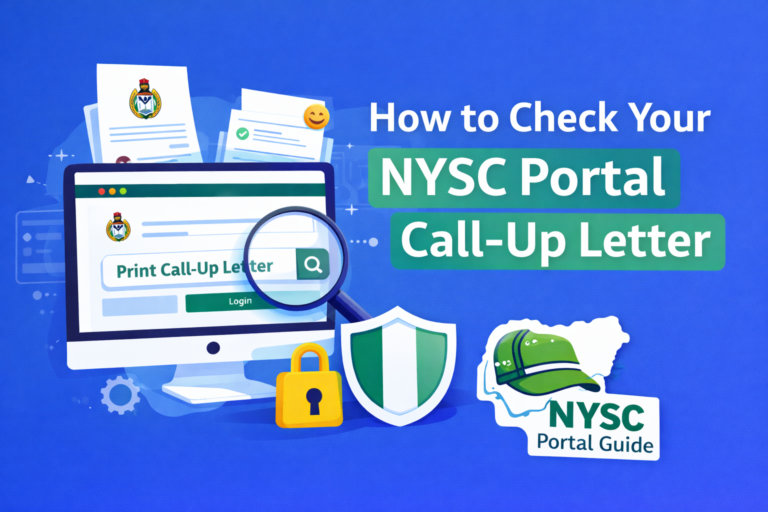
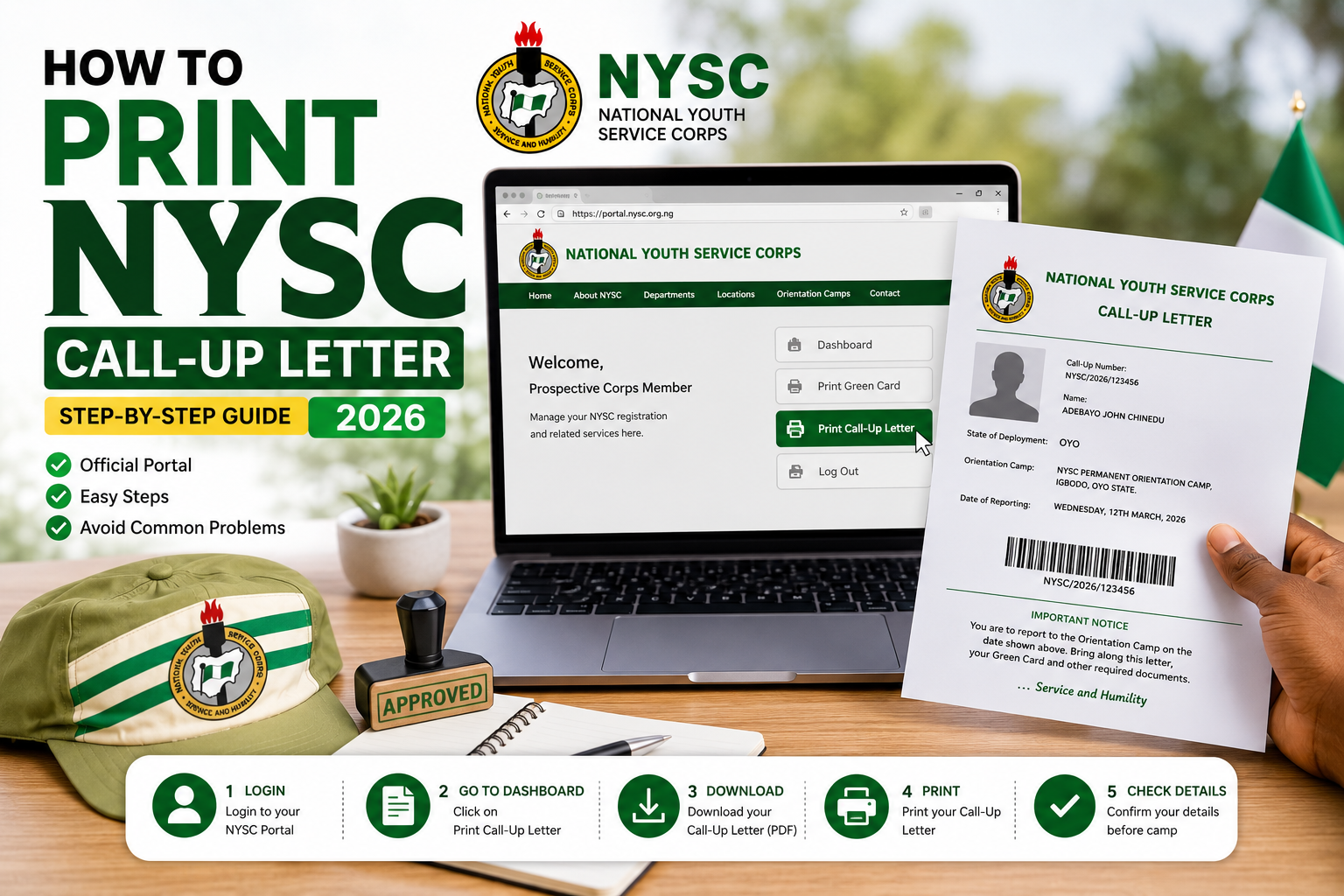
How to Print NYSC Call-Up Letter in 2026: Official Portal, Steps & Common Problems
If you’re searching for print NYSC call up letter, you’re likely preparing for the next stage of your National Youth Service Corps (NYSC) journey. Your NYSC Call-Up Letter is one of the most important documents you’ll receive because it contains your state of deployment, orientation camp address, reporting date, and other essential instructions you must follow before leaving for camp.
Every year, thousands of prospective corps members experience challenges when trying to print their Call-Up Letters. Some cannot find the download option, while others encounter login problems or attempt to print before NYSC officially releases the document. Understanding the correct procedure can save you time and help you avoid unnecessary stress.
This updated 2026 guide explains everything you need to know about how to print your NYSC Call-Up Letter, including when it becomes available, where to download it, who is eligible to print it, and what you should check before heading to orientation camp.
Section 1: What Is the NYSC Call Up Letter and Why Is It Important?
Before attempting to print your NYSC Call Up Letter, it is important to understand what the document is, why it matters, and when NYSC makes it available to prospective corps members.
Many graduates mistakenly believe that the Green Card and the Call Up Letter are the same document. While both are important, they serve completely different purposes during the NYSC process.
What Is the NYSC Call-Up Letter?
The NYSC Call-Up Letter is an official document issued by the National Youth Service Corps after successful registration and deployment.
It officially informs prospective corps members of:
- Their state of deployment.
- The orientation camp they have been assigned to.
- The official reporting date.
- Important camp instructions.
- Documents to present during camp registration.
Without your Call-Up Letter, you cannot report to the NYSC orientation camp.
Why Is the NYSC Call-Up Letter Important?
Your Call-Up Letter is one of the final documents issued before national service begins.
It serves several important purposes.
It confirms:
- Your NYSC deployment.
- Your orientation camp location.
- Your reporting schedule.
- Your assigned service batch.
You should print and keep several copies because they will be required during camp documentation.
Who Can Print the NYSC Call-Up Letter?
Only prospective corps members who have:
- Successfully completed NYSC registration.
- Been mobilized.
- Been deployed by NYSC.
can access and print the Call-Up Letter.
If you have not completed registration or your deployment has not been finalized, the document will not yet be available.
When Is the NYSC Call-Up Letter Released?
NYSC usually releases the Call-Up Letter after:
- Registration has closed.
- Verification has been completed.
- Deployment has been finalized.
The exact release date varies for each mobilization batch.
For example:
- Batch A
- Batch B
- Batch C
Each batch receives its own Call-Up Letter release schedule.
Always monitor official NYSC announcements for the latest information.
Difference Between the Green Card and the Call-Up Letter
Many prospective corps members confuse these two documents.
NYSC Green Card
The Green Card is generated immediately after successful registration.
It contains:
- Personal information.
- Registration details.
- NYSC reference information.
NYSC Call-Up Letter
The Call-Up Letter is released later.
It contains:
- State of deployment.
- Orientation camp address.
- Reporting date.
- Official reporting instructions.
You need both documents during the NYSC process.
Information Found on the Call-Up Letter
Your NYSC Call-Up Letter typically contains:
- Full name.
- Call-Up Number.
- State of deployment.
- Orientation camp address.
- Date for reporting.
- Batch information.
- Important camp instructions.
Review every detail carefully after downloading the document.
Where Can You Print the NYSC Call-Up Letter?
The only official portal for downloading and printing your Call-Up Letter is:
Official NYSC website:
Avoid unofficial websites requesting payment before allowing you to print.
What Should You Do Before Printing?
Before attempting to print your NYSC Call-Up Letter, ensure that:
- NYSC has officially released the document.
- You know your login credentials.
- Your registration was successfully completed.
- Your internet connection is stable.
- You have access to a printer or can save the file as a PDF for later printing.
Being prepared makes the process much easier.
Common Misunderstandings About the NYSC Call-Up Letter
Several misconceptions circulate during every mobilization exercise.
Myth: The Green Card Is the Same as the Call-Up Letter
Fact: They are different documents with different purposes.
Myth: Everyone Receives Their Call-Up Letter Immediately After Registration
Fact: NYSC releases Call-Up Letters only after deployment has been completed.
Myth: Agents Can Generate Your Call-Up Letter Earlier
Fact: No individual can release your Call-Up Letter before NYSC officially makes it available.
Safety Tips Before Printing
To protect yourself:
- Use only the official NYSC portal.
- Do not pay anyone to print your Call-Up Letter.
- Keep your NYSC login details private.
- Save a digital copy of your Call-Up Letter.
- Print multiple copies for future use.
Related Guides You Should Read
To prepare for the next stages of your service year, you may also find these articles on nyscportalguide.com helpful:
- What Is NYSC?
- NYSC Registration Portal
- NYSC Registration Requirements
- NYSC Mobilization
- NYSC Senate List
- NYSC Portal Login
- NYSC Dashboard Login
- Requirements for NYSC Camp
These guides explain every stage of the NYSC process, from registration to orientation camp.
Section 2: How to Print Your NYSC Call-Up Letter Step by Step (2026)
Once NYSC officially releases the Call-Up Letter for your batch, you can log in to your dashboard, download the document, and print it. The process is straightforward, but many prospective corps members experience difficulties because they use the wrong website, forget their login details, or attempt to print before the document has been released.
Following the correct steps will help you print your NYSC Call Up Letter quickly and avoid unnecessary delays before orientation camp.
Step 1: Visit the Official NYSC Portal
To print your NYSC Call Up Letter, visit the official NYSC Registration Portal:
Always use the official portal.
Avoid third-party websites that request payment or claim they can generate your Call-Up Letter before NYSC releases it.
Step 2: Log In to Your NYSC Dashboard
Click “Login Here” and enter the same details you used during your online registration.
You will need:
- Your registered email address
- Your password
If you cannot remember your password, use the Forgot Password option to reset it.
Never create another NYSC account simply because you forgot your password.
Step 3: Access the Call-Up Letter Section
After logging into your dashboard, look for the option labeled:
- Print Call-Up Letter
- Download Call-Up Letter
This option only appears after NYSC officially releases Call-Up Letters for your batch.
If you cannot see the option, your Call-Up Letter may not have been released yet.
Step 4: Open Your Call-Up Letter
Click the Print Call-Up Letter button.
The document usually opens as a PDF file in your browser.
Review the information carefully before downloading or printing.
Check details such as:
- Full name
- Call-Up Number
- State of deployment
- Orientation camp address
- Reporting date
- Batch information
If you notice any unusual issues, avoid making changes yourself. Follow official NYSC guidance or contact the appropriate authorities if necessary.
Step 5: Download the PDF
Before printing, download the Call-Up Letter to your device.
Saving a digital copy allows you to:
- Print multiple copies later.
- Access the document if internet service becomes unavailable.
- Keep a backup for future reference.
Store the file in a secure location on your computer or phone.
Step 6: Print Your NYSC Call-Up Letter
Once the PDF has been downloaded:
- Open the file.
- Connect to a printer.
- Print on clean A4 paper.
- Ensure every page prints clearly.
Many prospective corps members print two or three copies for convenience.
Keeping extra copies can be helpful during travel and camp documentation.
What Should You Check Before Printing?
Before pressing the print button, confirm that:
- Your name is correctly spelled.
- Your photograph is visible.
- The Call-Up Number is clear.
- The orientation camp address is readable.
- The reporting date is correct.
If the print preview looks incomplete, try downloading the file again before printing.
What If You Don’t Have a Printer?
You don’t need to own a printer.
You can:
- Download the PDF.
- Save it to your phone.
- Copy it to a flash drive.
- Print it later at a trusted business centre or cyber café.
Always ensure the printed copy is clear and readable.
Common Problems When Printing the NYSC Call-Up Letter
Some prospective corps members experience difficulties during printing.
Here are the most common issues.
The Print Button Is Missing
This usually means:
- NYSC has not released the Call-Up Letter.
- Your batch has not yet been deployed.
- The portal is still being updated.
Continue checking your dashboard regularly.
PDF Will Not Open
Possible causes include:
- Slow internet connection.
- Browser issues.
- PDF reader not installed.
Try downloading the file again or opening it with another browser or PDF application.
Login Problems
If you cannot access your dashboard:
- Confirm your email address.
- Reset your password if necessary.
- Avoid creating a duplicate account.
Blurry Printed Copy
A poor-quality print may be caused by:
- Low printer ink.
- Incorrect printer settings.
- Corrupted PDF download.
Download the file again and print using a quality printer.
Tips for a Smooth Printing Process
To avoid last-minute problems:
- Download your Call-Up Letter as soon as it is released.
- Print multiple copies.
- Save a backup copy online and offline.
- Review every detail before printing.
- Keep the document in a waterproof folder while travelling to camp.
These simple steps can save you a lot of stress later.
Section 3: Common NYSC Call-Up Letter Problems, FAQs, Safety Tips & Final Guide (2026)
After you successfully print your NYSC Call Up Letter, the next step is preparing for orientation camp. Before travelling, it’s important to carefully review every detail on the document and make sure you have all the required documents for camp registration.
Some prospective corps members experience issues after downloading their Call-Up Letters, such as missing information, login problems, delayed release, or uncertainty about what to do next. This section explains the most common problems and provides practical solutions.
Common NYSC Call-Up Letter Problems and How to Solve Them
Although downloading and printing the Call-Up Letter is usually straightforward, some applicants encounter challenges.
1. My Call-Up Letter Is Not Available
This is one of the most common issues.
Possible reasons include:
- NYSC has not officially released the Call-Up Letter.
- Your batch has not yet been deployed.
- Registration verification is still ongoing.
- The portal is temporarily unavailable.
Solution
- Continue checking your NYSC dashboard.
- Monitor official NYSC announcements.
- Be patient while deployment is being finalized.
Avoid relying on unofficial information shared on social media.
2. I Cannot Log In to My NYSC Dashboard
Without access to your dashboard, you cannot download your Call-Up Letter.
Possible reasons include:
- Incorrect email address.
- Wrong password.
- Browser issues.
- Temporary portal maintenance.
Solution
- Use the Forgot Password option.
- Confirm you are using the email registered during NYSC registration.
- Clear your browser cache.
- Try another browser or device.
Never create another NYSC account because you cannot log in.
3. Incorrect Information on My Call-Up Letter
Some prospective corps members notice errors such as:
- Incorrect name
- Wrong date of birth
- Incorrect institution
- Missing photograph
Solution
Do not attempt to alter the document yourself.
Follow official NYSC procedures for reporting registration-related issues and seek guidance from your institution where necessary.
4. The PDF Will Not Download
This may happen because of:
- Slow internet connection.
- Browser problems.
- Temporary portal issues.
Solution
- Refresh the page.
- Try another browser.
- Download during off-peak hours.
- Ensure your internet connection is stable.
5. Poor Print Quality
If the printed document is blurred:
- Download the PDF again.
- Use a better printer.
- Ensure printer settings are correct.
- Print on clean A4 paper.
Your Call-Up Letter should be clear and easy to read.
What Should You Bring to Orientation Camp?
After printing your Call-Up Letter, begin preparing for camp.
Although requirements may vary slightly depending on official NYSC instructions, prospective corps members commonly prepare:
- Printed NYSC Call-Up Letter
- NYSC Green Card
- Means of identification
- Passport photographs
- Degree Certificate or Statement of Result
- Other documents specified by NYSC
Always check the latest instructions issued by NYSC before travelling.
Frequently Asked Questions (FAQ)
How do I print my NYSC Call Up Letter?
Visit the official NYSC Registration Portal:
Log in to your dashboard using your registered email address and password, then download and print your Call-Up Letter after NYSC officially releases it.
When is the NYSC Call-Up Letter released?
The Call-Up Letter is usually released after:
- Registration closes.
- Verification is completed.
- Deployment has been finalized.
The exact date depends on the current mobilization batch.
Can I print my Call-Up Letter before NYSC releases it?
No.
The Print Call-Up Letter option only becomes available after NYSC officially publishes the document for your batch.
Is the Green Card the same as the Call-Up Letter?
No.
The Green Card confirms that you completed online registration.
The Call-Up Letter contains your state of deployment, orientation camp address, reporting date, and other important instructions.
How many copies should I print?
It is advisable to print at least two or three clear copies.
Keeping extra copies can be useful during camp registration and future reference.
Can I print my Call-Up Letter at a cyber café?
Yes.
You can download the PDF to your phone or flash drive and print it at a trusted business centre or cyber café.
What should I do if my Call-Up Letter contains an error?
Do not edit the document yourself.
Follow official NYSC procedures and contact the appropriate authorities or your institution for guidance.
Important Safety Tips
Every NYSC mobilization period attracts fraudulent websites and fake agents.
Protect yourself by following these recommendations.
Use Only the Official NYSC Portal
Always download your Call-Up Letter through:
Avoid unofficial websites requesting payment or personal information.
Never Pay Anyone to Release Your Call-Up Letter
No individual can:
- Release your Call-Up Letter early.
- Change your state of deployment.
- Guarantee a preferred posting.
- Generate an official NYSC document.
Only NYSC controls these processes.
Keep Your Login Details Secure
Never share:
- Email password
- NYSC password
- Dashboard login information
Protecting your account helps prevent unauthorized access.
Save Multiple Copies
Keep:
- Printed copies.
- A PDF on your phone.
- A backup on cloud storage or your computer.
Having multiple copies ensures you can access the document whenever needed.
Conclusion
Learning how to print your NYSC Call Up Letter is an essential part of preparing for your National Youth Service Corps programme. Once NYSC officially releases the document, you should download it promptly, review all the information carefully, print multiple copies, and keep both digital and printed backups for future use.
Always use the official NYSC Registration Portal, avoid unofficial websites and fake agents, and ensure you arrive at orientation camp with all the required documents listed in your Call-Up Letter and official NYSC instructions.
As NYSC procedures, reporting dates, and mobilization schedules may change from one batch to another, always rely on official announcements from NYSC rather than rumours or unverified social media posts.
For more comprehensive guides on NYSC registration, mobilization, Senate List verification, portal login, dashboard access, Green Card printing, orientation camp preparation, and other important topics, continue exploring nyscportalguide.com. Our goal is to provide reliable, easy-to-understand, and up-to-date information that helps Nigerian graduates confidently complete every stage of the NYSC process in 2026.